Zyphora
A deep learning server can look impressive on a specification sheet and still disappoint in daily use. GPU count matters, but so do memory capacity, cooling, power delivery, and the speed of your storage and network. Andrew Ng, a leading AI researcher and educator, has described AI as “the new electricity.” His comparison captures the stakes: compute infrastructure is becoming essential, yet buying more hardware does not automatically produce better results.
Choosing a deep learning server manufacturer requires practical questions, not just impressive benchmarks. Can the vendor configure systems for your models and workloads? Are component choices, warranty terms, and support response times clearly documented? Ask how the server handles sustained GPU workloads, and request details about thermal testing. A quiet showroom demonstration tells you little about a system running at full load overnight. Look for real deployment experience, transparent technical guidance, and a service process you can verify. Check the small details.
This guide presents 10 tips for comparing manufacturers, from GPU compatibility and scalability to software support and total cost of ownership. It also considers lead times, maintenance, and the availability of replacement parts. No checklist can predict every failure or fit every team. That is worth remembering. A smaller manufacturer may offer thoughtful engineering but limited support coverage; a larger one may provide reach but less flexibility. The right deep learning server manufacturer is the partner whose claims hold up under your workload, budget, and support requirements—not simply the one with the boldest brochure.
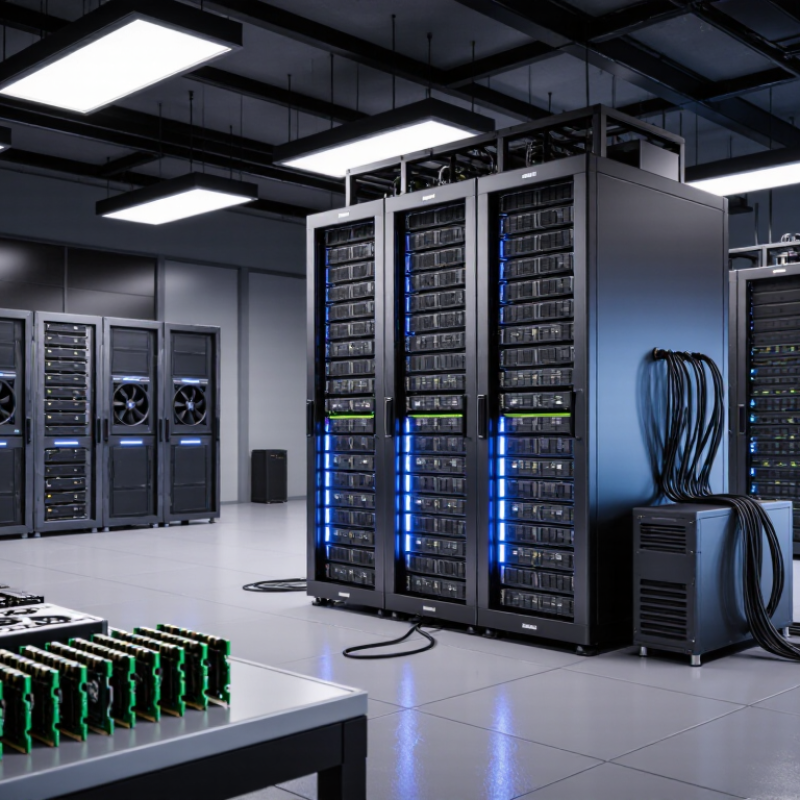
Before evaluating a deep learning server manufacturer, define the workload the system must handle. Training and inference place different demands on hardware. Training large language models may need multiple accelerators, substantial memory, and fast connections between devices. Image inference may instead prioritize low latency and steady throughput. Write down model size, input dimensions, batch size, expected users, and whether workloads run continuously. Small details matter. Sequence length can change memory needs significantly.
Translate those tasks into practical requirements. Estimate accelerator memory for model weights, activations, and training checkpoints, leaving room for growth. Check that CPU, system memory, and storage can keep data moving rather than idle the accelerators. A dataset stored on slow drives can become a quiet bottleneck. Easy to miss. Consider network bandwidth if data or jobs move between servers, and confirm the facility can support the system’s power and cooling needs. Test with representative code and data when possible; peak specifications alone rarely predict real performance. Requirements also change, sometimes after the budget is set. Record assumptions, such as target response time and planned model updates, and revisit them before selecting a configuration.
Choosing a deep learning server manufacturer starts with evidence, not polished sales claims. Ask how the team has supported workloads similar to yours, such as model training, fine-tuning, or high-throughput inference. Request concrete configuration examples and testing methods. Ask for measured performance under sustained load, not only peak benchmark results. Good answers should explain trade-offs, including power use, thermal limits, and upgrade paths. Ask for evidence.
Hardware compatibility deserves equal scrutiny. Match accelerators with the server’s motherboard, PCIe lanes, chassis dimensions, and power supply capacity. A card may fit on paper but still throttle when several units run together. Check memory capacity and bandwidth, storage speed, and network throughput against your data pipeline. Cooling matters. Ask whether the system was tested with the exact accelerator count and workload you plan to use. Confirm support for your operating system, drivers, and deep learning frameworks, plus clear firmware update procedures. In practice, a specification sheet is only a starting point; configurations can change, and documentation sometimes lags behind. Request a written bill of materials, compatibility notes, and a support contact before ordering. A cautious review may feel slow, but it can prevent expensive surprises after installation.
Check that a manufacturer can match server components to your workload. These theoretical peak bandwidth figures help illustrate the differences between common interconnects and memory configurations; actual throughput depends on the hardware and workload. PCIe figures are per direction, DDR figures are for one 64-bit memory channel, and 100 Gigabit Ethernet is converted from line rate.
Choosing a deep-learning server manufacturer means comparing more than advertised GPU counts. Start with workload measurements: model size, batch size, training time, and inference latency. The Stanford AI Index 2024 reports that training compute for notable AI models has doubled roughly every five months. That pace makes upgrade paths important. Ask for measured performance on workloads close to yours, not only peak theoretical throughput.
Scalability depends on more than adding accelerators. Check rack power, cooling capacity, memory bandwidth, network fabric, and storage throughput. The IEA’s Electricity 2024 report projects data-center electricity consumption could reach about 1,000 TWh by 2026. Request power figures at idle and full load, plus thermal results under sustained operation. Can the system expand without replacing its core infrastructure? Small details matter.
Customization should fit your software stack and operating environment. Compare supported accelerator configurations, memory options, network adapters, firmware controls, and service response times. Ask manufacturers to document compatibility and provide a sample bill of materials. MLPerf results can help compare standardized training performance, but they do not represent every model or deployment. A faster benchmark may still mean higher power use or harder maintenance. I would scrutinize those trade-offs, even when the specification sheet looks unusually clean.
A deep learning server is only reliable when it keeps working under sustained heat and heavy accelerator loads. Ask manufacturers for system-level validation records, not just component specifications. Request details on thermal testing, firmware updates, failure rates, and replacement-part availability. Uptime Institute’s 2024 Annual Outage Analysis found that 54% of respondents’ most recent significant outages cost over $100,000; 16% cost over $1 million. Reliability claims deserve evidence.
Security needs equal scrutiny. Ask how firmware is signed, vulnerabilities are disclosed, and critical patches are delivered. Request a software bill of materials and a clear security-update policy. IBM’s 2024 Cost of a Data Breach Report put the global average breach cost at $4.88 million. That figure is not specific to server makers, but it shows why security processes matter. Ask for proof.
Technical support can determine how long a failed training run stays offline. Check whether engineers are available around the clock, how quickly they acknowledge critical tickets, and whether replacement components are stocked near your site. Get response targets in writing, including escalation steps. A polished support promise can still disappoint; test it with a detailed pre-sales question. I would also check references from deployments with similar power, cooling, and workload demands. One uncomfortable detail: advertised response times do not guarantee a fast repair.
| # | Tip | What to Evaluate | Evidence to Request | Warning Signs |
|---|---|---|---|---|
| 1 | Match the server to your workloads | Confirm accelerator count and memory, host memory, storage, networking, and expansion options suit training, fine-tuning, or inference requirements. | A configuration sheet and workload-specific performance results, including test conditions and software versions. | Performance claims without a defined workload, configuration, or reproducible test details. |
| 2 | Check component and system reliability | Review component qualification, memory error handling, power-supply redundancy options, and system-level validation procedures. | Reliability test summaries, component qualification information, and documented system test procedures. | Vague assurances of reliability with no explanation of testing or failure handling. |
| 3 | Verify thermal and power design | Check operating limits, cooling requirements, airflow direction, power draw, and the facility’s rack and electrical capacity. | Thermal and power specifications, installation requirements, and test results under sustained load. | No clear environmental requirements or only short-duration performance data. |
| 4 | Assess serviceability and parts availability | Determine whether common service tasks can be performed efficiently and whether replacement parts are available throughout the planned service life. | Maintenance documentation, parts availability terms, and procedures for component replacement. | Unclear parts lead times or repairs that require undocumented procedures. |
| 5 | Review platform security controls | Look for secure boot options, hardware-backed key protection, access controls, signed firmware updates, and a documented vulnerability response process. | Security documentation, firmware update procedures, and information on security advisories and vulnerability reporting. | No stated process for firmware updates, security issues, or access management. |
| 6 | Evaluate remote management | Check remote monitoring, hardware health alerts, inventory reporting, console access, and integration with your existing administration tools. | A demonstration, management interface documentation, and supported interface or integration details. | Essential management features require unclear licensing or cannot be demonstrated. |
| 7 | Compare technical support commitments | Clarify support hours, response targets, escalation paths, remote troubleshooting, and onsite service coverage for your location. | Written support terms that define severity levels, response targets, coverage, and escalation contacts. | Unspecified response targets or unclear distinction between response time and resolution time. |
| 8 | Confirm software and firmware compatibility | Check support for your operating system, accelerator drivers, container tools, orchestration environment, and update practices. | A compatibility matrix, validated software versions, and a process for handling updates and known issues. | Compatibility is described as “expected” but has not been validated for the proposed configuration. |
| 9 | Request acceptance testing | Agree on checks for hardware health, network and storage function, accelerator visibility, and representative workload execution before acceptance. | A written test plan, pass criteria, test records, and a process for resolving failed checks. | Acceptance terms that do not define what will be tested or how failures will be handled. |
| 10 | Compare lifecycle cost and warranty terms | Consider purchase price, power and cooling needs, support coverage, upgrade options, warranty exclusions, and expected service life. | An itemized quote, warranty terms, support pricing, and assumptions used for operating-cost estimates. | A low initial price with important service, replacement, or operating costs omitted. |
A server quote can look attractive until power, cooling, and installation costs appear. Compare the full cost over several years, not just the purchase price. Ask whether the quote includes rails, network adapters, testing, and on-site setup. Small extras add up. Check expected energy use against your facility’s cooling capacity.
Delivery dates matter when a project depends on a specific rack or migration window. Ask the manufacturer for a written schedule covering assembly, testing, shipping, and commissioning. Confirm what happens if a component is delayed. A missed installation window can leave expensive accelerators idle, even when the hardware arrives intact. Get dates in writing.
Long-term service should be specific, not just described as “responsive.” Clarify support hours, replacement-part availability, repair targets, and warranty exclusions. Request a sample escalation path and ask who handles remote diagnosis. Keep the answers with the quote for a fair comparison. I would not assume every promised response time will hold during a busy period; staffing and parts availability can change. That deserves a second look.
List model size, input dimensions, batch size, expected users, and operating hours. Sequence length matters. It can change memory needs.
Large-model training may need several accelerators, ample memory, and fast device connections. Image inference may prioritize low latency and steady throughput. Different jobs, different needs.
Account for model weights, activations, and training checkpoints. Leave room for growth. A little headroom helps, though estimates can still miss.
Match accelerators to PCIe lanes, chassis space, and power capacity. Confirm cooling with the planned accelerator count. A card fitting on paper proves little.
Ask for similar project examples and sustained-load test results. Request details on power use, thermal limits, and upgrade options. Ask what was actually tested.
Check CPU, system memory, storage speed, and network throughput. Slow dataset drives can leave accelerators waiting. A quiet bottleneck.
Include power, cooling, installation, network adapters, rails, and testing. Compare costs over several years, not just the initial quote. Small extras add up.
Get written dates for assembly, testing, shipping, and commissioning. Clarify support hours, part availability, repair targets, and warranty exclusions. Promises can slip during busy periods.
Request a written bill of materials, compatibility notes, and a support contact. Keep service details with the quote. Documentation may lag behind.
Choosing the right deep learning server manufacturer begins with a clear understanding of your workloads, including model size, training frequency, data volume, and expected inference demands. These factors help define requirements for processors, accelerators, memory, storage, and networking. Next, assess each manufacturer’s expertise and confirm that its hardware components work well together. Compare processing performance, room for future expansion, and the ability to customize configurations as your projects evolve.
Reliability and support matter just as much as raw speed. Review system stability, security features, warranty coverage, and the availability of responsive technical assistance. Finally, look beyond the initial purchase price: consider energy use, maintenance, delivery schedules, upgrade costs, and long-term service. A careful comparison across these areas can help you select a server solution that meets current needs while remaining practical and dependable as workloads grow.
